Passes Navigation Bar Update: A Complete Guide for Creators and Fans
The navigation bar just got a makeover for both web and mobile. Read more to stay updated on the latest changes.
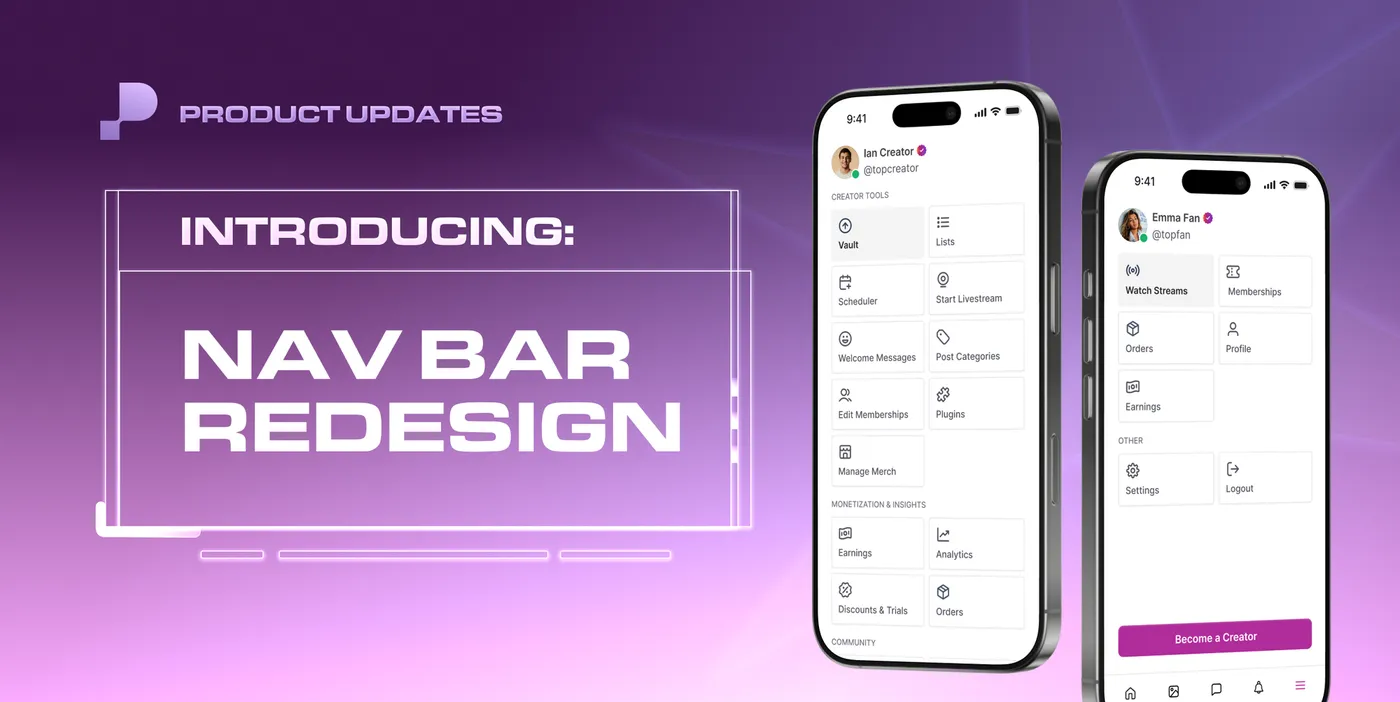
The Passes navigation bar has been redesigned from the ground up to make the platform easier and more enjoyable to use every day. Whether you are a creator managing your content and community or a fan browsing and engaging with your favorite creators, the updated navigation experience is faster, cleaner, and built around how you actually use the platform.
Here is everything that has changed on web and mobile for both creators and fans.
What Is New in the Passes Navigation Bar for Creators
Web Navigation Updates for Creators
The creator navigation bar on web has been reorganized into four distinct sections for easier access to every part of the platform:
- Creator Tools
- Monetization and Insights
- Community
- Security
Additional changes to the web navigation bar for creators:
- Profile navigation: Click your Username, Display Name, or Profile Avatar to go directly to your profile
- Creator Tools is now a static section in the navigation bar, always visible and accessible without additional clicks
- Quick action buttons have been added to the top of the navigation bar for the most frequently visited pages: Home, Messages, Notifications, Shop, and Settings
- The Create button: The former "Create a Post" button has been replaced with a new Create button that opens a unified Create modal where you can choose to Send a Mass DM, Create a Post, or Start a Livestream from one place
- Smaller screens: On smaller screen sizes, the navigation bar displays icons without the accompanying text labels to keep the interface clean


Mobile Navigation Updates for Creators
The bottom navigation bar on mobile has been updated with five core actions:
- Home
- Messages
- Create (centered button that opens the new Create modal)
- Notifications
- Hamburger menu that opens a full navigation page where all platform features can be accessed
The centered Create button on mobile gives creators instant access to Mass DMs, post creation, and livestreaming from anywhere on the platform.
What Is New in the Passes Navigation Bar for Fans
Web Navigation Updates for Fans
The fan navigation bar on web has been improved and consolidated for a cleaner experience:
- Livestreams has been renamed to Watch Streams: The tab now uses clearer language that better reflects what fans will find there
- Live indicator: A red dot appears to the right of Watch Streams when creators are currently live, so fans never miss a stream in progress
- Quick action buttons at the top of the navigation bar direct fans to Home, Messages, Notifications, and Settings
Mobile Navigation Updates for Fans
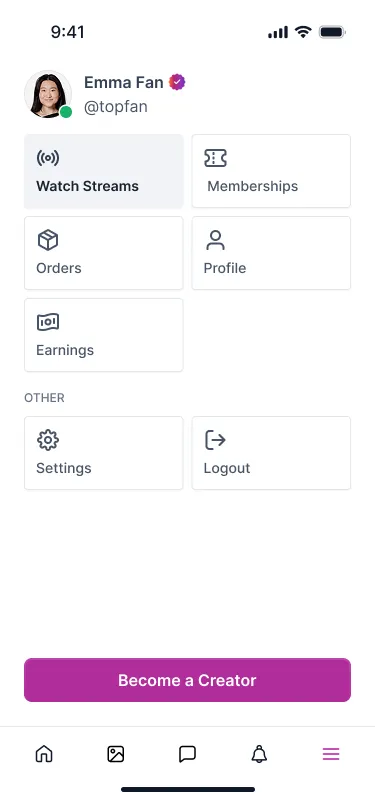
On mobile, fans have access to five main buttons in the bottom navigation bar:
- Home
- Gallery
- Messages
- Notifications
- Hamburger menu that opens the full navigation page where all other features can be accessed
Frequently Asked Questions About the Passes Navigation Bar Update
What changed in the Passes navigation bar for creators? The creator navigation bar has been reorganized into four sections: Creator Tools, Monetization and Insights, Community, and Security. Quick action buttons for Home, Messages, Notifications, Shop, and Settings have been added to the top. The Create a Post button has been replaced with a unified Create button that opens a modal for Mass DMs, posts, and livestreams.
What is the new Create button on Passes? The Create button replaces the former Create a Post button. Clicking it opens a new Create modal that gives creators three options in one place: Send a Mass DM, Create a Post, or Start a Livestream. It is available on both web and mobile.
How do I navigate to my profile on Passes after the update? On web, you can navigate to your profile by clicking your Username, Display Name, or Profile Avatar in the updated navigation bar.
What is the Watch Streams tab on Passes? Watch Streams is the renamed version of the former Livestreams tab. It shows all currently active creator streams. A red dot appears next to Watch Streams when one or more creators are live, making it easy for fans to spot active streams at a glance.
What does the hamburger menu do on the Passes mobile app? The hamburger menu on mobile opens a full navigation page that gives both creators and fans access to all platform features beyond the five main bottom navigation buttons. For creators this includes the full Creator Tools, Monetization and Insights, Community, and Security sections.
What are the five bottom navigation buttons for fans on Passes mobile? Fans on mobile have access to Home, Gallery, Messages, Notifications, and a hamburger menu that opens the full navigation page.
What are the five bottom navigation buttons for creators on Passes mobile? Creators on mobile have access to Home, Messages, Create, Notifications, and a hamburger menu that opens the full navigation page.
How does the Passes navigation bar look on smaller screens? On smaller screens, the navigation bar displays icons without the accompanying text labels. All the same features are accessible, just presented in a more compact format to keep the interface clean and usable on any screen size.
A Navigation Experience Built for How You Use Passes Every Day
The updated Passes navigation bar makes it faster to get to where you are going and easier to discover everything the platform has to offer. For creators, that means quicker access to your tools, your content, and your community. For fans, it means a cleaner experience with a clear signal for when your favorite creators are live.
Log into Passes today to explore the updated navigation bar on web and mobile.